



LEAP Legal Software Review (2026): Features, Pricing, Pros and Cons
Law firms deal with a lot of moving parts every day. Client files, billing, court deadlines, trust accounts, and document management all need attention at once. Most small and mid-sized firms end up juggling several tools to handle it all, which wastes time and raises the chance of costly errors.
LEAP is a legal practice management platform built to bring those tasks under one roof. It has gained a strong following among solo practitioners and small to mid-sized law firms across the US, UK, Australia, Canada, and Ireland, with more than 60,000 users worldwide.
This review covers what LEAP does, how it prices its plans, where it stands out, and where it falls short, so your firm can decide if it is the right fit.
| Quick verdict Our rating: 4.1 / 5 (★★★★☆) LEAP is one of the strongest all-in-one platforms for document-heavy law firms that need reliable trust accounting and deep Microsoft 365 ties. Its automation and matter management are excellent. The trade-offs are a premium, quote-only price, multi-year contracts, and the fact that full firm bookkeeping still runs through QuickBooks Online or Xero. Best for: small to mid-sized firms with high document volume that want practice management and trust accounting in one system. Look elsewhere if: you are a budget-conscious solo, you want fully transparent pricing, or you need one tool that also replaces your general accounting software. |
LEAP at a Glance
| Particulars | LEAP |
|---|---|
| Software type | Cloud-based legal practice management (hybrid-cloud) |
| Best for | Solo to mid-sized law firms (high document volume) |
| Deployment | Hybrid cloud, plus a Windows desktop component and iOS and Android apps |
| Pricing model | Custom quote only (no public price list) |
| Starting price (third-party estimate) | Around $149 per user, per month |
| Free trial | No public free trial; free demo on request |
| Standout features | Document automation, trust and IOLTA accounting, matter management, AI tools |
| Accounting | Trust and IOLTA built in; syncs with QuickBooks Online and Xero for general bookkeeping |
| Support | Email, live chat, ticketing, and a Client Success Manager |
| Practice areas | Family, real estate, estate planning, probate, criminal, personal injury, commercial, litigation |
| Company | Founded in Australia over 30 years ago; 60,000+ users worldwide |
LEAP Review Scorecard
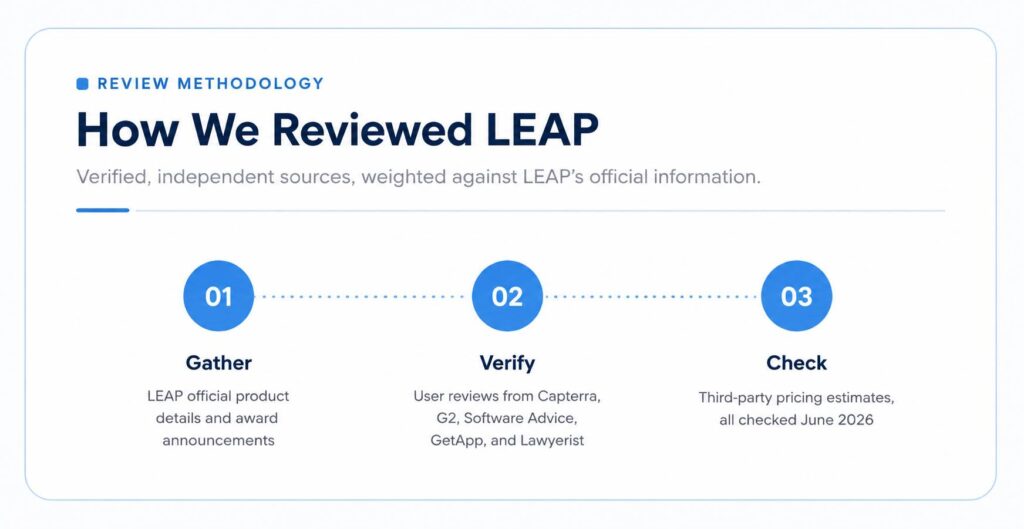
The scores below reflect our assessment, informed by verified user reviews on Capterra (about 4.0 out of 5) and G2 (3.6 out of 5), plus feature testing notes from independent review sites. Document tools and trust accounting rate highest. Mobile, reporting, and pricing transparency are the weaker spots.
| Category | Score | Notes |
|---|---|---|
| Features and all-in-one capability | 4.7 | Covers matter, document, billing, and trust work in one place |
| Document automation | 4.7 | Large template library; data auto-fills across forms |
| Trust and IOLTA accounting | 4.6 | Compliant, audit-ready, and a consistent user favorite |
| Integrations | 4.2 | Microsoft 365, Xero, QBO, plus a Zapier link to 8,000+ apps |
| Customer support | 3.8 | Praised by many, but some report slow peak-time responses |
| Ease of use | 3.7 | Powerful, though the depth means a real learning curve |
| Reporting | 3.6 | Functional, but rated below rivals for depth and speed |
| Mobile app | 3.6 | Handy on the go, yet thinner than the desktop experience |
| Value and pricing transparency | 3.5 | Premium cost and a quote-only model |
| Overall | 4.1 | A strong, document-first platform with a premium price |
What Is LEAP Legal Software?
LEAP is a cloud-based legal practice management platform. It combines matter management, document automation, time recording, billing, trust accounting, and AI-powered tools into a single system.
The software targets small to mid-sized law firms that want a capable, all-in-one solution without the complexity or infrastructure costs of enterprise tools. LEAP has been built specifically for law firms for more than 30 years, and it now serves over 60,000 users across the US, UK, Australia, Canada, and Ireland.

LEAP runs on a hybrid-cloud model. Lawyers can reach their files and cases from the desktop app or a mobile device, in the office or working remotely. No server setup is required, and everything is maintained and backed up automatically. One thing to note: the desktop component runs on Windows, so Mac users need a workaround such as a virtual machine.
The platform covers many practice areas, including family law, real estate, estate planning, criminal law, personal injury, probate, commercial law, and litigation. Pre-built matter types for each area help firms get organized from day one.
Key Features of LEAP
LEAP brings practice management, document creation, billing, and trust accounting into one platform. The goal is to help firms run daily operations more efficiently while keeping client information organized. Here are the features that matter most and how they support legal work.
1. Matter and Case Management
Every client and case in LEAP gets its own matter file. That file holds all related contacts, documents, emails, notes, appointments, and billing records in one place.
LEAP ships with pre-configured matter types for major practice areas, which cuts setup time. Lawyers can search across matters by keyword, filter, and date range. A built-in calendar tracks deadlines, court dates, and task due dates, and it syncs with Microsoft Outlook and Microsoft 365 so nothing slips through.
2. Document Automation
This is one of LEAP’s most praised features. The platform gives firms a large library of pre-built legal forms and templates that auto-fill with matter and client data already in the system.
Lawyers enter client and case details once, then generate completed documents in seconds by pulling straight from the matter file. That cuts manual data entry and reduces errors. LEAP also works inside Microsoft Word, so lawyers can draft and edit in a familiar tool while everything stays linked to the matter.
3. Time Recording and Billing
LEAP automatically tracks time spent on phone calls, emails, and letters. Lawyers can also log time by hand using custom billing codes or fixed-fee entries from a built-in timesheet.
Invoices can be created and sent right from the platform. The system supports hourly billing, fixed-fee billing, and contingency billing, so firms can charge the way that suits each matter. Billing data also flows into QuickBooks Online and Xero, covered in the next section.
4. Trust and IOLTA Accounting
LEAP has built-in trust accounting tools that line up with state bar rules and IOLTA requirements. Firms can manage client funds, run trust reports, and track every transaction inside the platform.
Trust accounting is one of LEAP’s strongest areas in user feedback. Records stay accurate and audit-ready, which lowers compliance risk. For firms that worry about three-way reconciliation and bar audits, this is a major selling point.
5. AI Tools
LEAP has added AI-powered features that help with document drafting, matter analysis, and legal research. The AI can review a matter file and surface relevant details fast, which saves time during case preparation. Users report that the matter analysis tools help them get ready for client meetings more quickly.
6. Mobile App
LEAP offers iOS and Android apps. Lawyers can manage cases, record time, review documents, and message clients from a phone or tablet, with 24/7 access to their practice. That helps attorneys who attend hearings or meet clients off-site. The mobile app is convenient, though it is lighter than the full desktop experience.
7. Security and Compliance
LEAP stores data on Amazon Web Services and uses bank-grade AES-256 encryption, with SSL protection when information moves between your device and the cloud. Automatic backups and updates are handled for you. For a profession that handles sensitive client data and strict confidentiality rules, this matters.
Legal Bookkeeping: How LEAP Works With QuickBooks Online and Xero
This is the point many buyers miss when they evaluate LEAP, and it is worth understanding before you sign.
LEAP handles trust and IOLTA accounting natively inside the platform. It is not, however, a full general-ledger accounting system. For day-to-day legal bookkeeping, such as tracking fee income, operating expenses, and overall firm financials, LEAP syncs with outside accounting software.
Specifically, LEAP connects to QuickBooks Online and Xero. Fee income, client disbursements (expenses paid on a client’s behalf, like filing fees or courier costs), and other billable transactions recorded in LEAP sync over to QuickBooks Online or Xero. From there, a bookkeeper handles transaction matching, bank reconciliation, and general firm accounting.
So the split looks like this: LEAP runs the legal-practice side, including time tracking, billing, and trust accounting, while QuickBooks Online or Xero runs the broader bookkeeping. The two systems work together rather than one replacing the other.
For firms already on QuickBooks Online or Xero, the integration is generally smooth. For firms that want a single tool to handle everything, including general bookkeeping, this two-system setup is a real consideration.
| Need help connecting LEAP to your books? Getting LEAP, your trust ledger, and QuickBooks Online or Xero to agree is where many firms lose time and risk compliance slips. Our team sets up and maintains LEAP bookkeeping, IOLTA trust accounting, and QuickBooks so your records stay accurate and audit-ready. Get a free quote. |
LEAP Integrations
LEAP connects with a range of third-party tools beyond QuickBooks Online and Xero. Current integrations include:
- Microsoft 365: Outlook and Word for email, calendar, and drafting
- InfoTrack: court filing and property searches
- LawConnect: secure client document sharing and e-signatures
- LawToolBox: court rules-based deadline and calendar automation
- WealthCounsel: estate planning document drafting
- Lawmatics: legal CRM, intake, and marketing automation
- DecisionVault: client intake forms
- Power BI: advanced reporting and dashboards
- Zapier: no-code automation with 8,000+ other apps (added late 2025)
LEAP also offers an open API for firms with custom integration needs. The Zapier connection, added in late 2025, widened the list considerably and closed a gap that earlier reviews had flagged.
LEAP Pricing
LEAP does not list pricing publicly in a fixed, tiered format. Cost is customized based on firm size, location, and the features you need.
Based on third-party listings, plans start at roughly $149 per user, per month. LEAP itself does not confirm this figure, and the final price varies with the number of users and any add-on services. A monthly payment option is available, which some firms like for cash flow. A few things tend to shape the final number:
- Number of users and staff seats
- Practice areas and the matter types you need
- Add-on tools and premium integrations
- Region and local compliance requirements
- Contract length, since multi-year terms are common
Long-term contracts apply in many cases, and some users report the term was not made clear upfront. Read the agreement closely before you sign, and ask the sales team to spell out the contract length, renewal terms, and what happens when you add users. The best first step is to request a personalized quote and a free demo from LEAP.
Pros and Cons of LEAP
LEAP has a lot going for it, but no software is perfect for every firm. Before you decide, it helps to see both sides clearly. The table gives a quick snapshot, followed by a detailed breakdown.
| Pros | Cons |
|---|---|
| – All-in-one practice management platform – Strong document automation and templates – Reliable trust and IOLTA accounting – Cloud access with offline capability – Deep Microsoft 365 integration – iOS and Android mobile app – Award-winning, law-focused software | – Premium price point for small firms – No public pricing (quote only) – Multi-year contract terms to review – No full general bookkeeping built in – Windows-only desktop component – Noticeable learning curve for new users |
Pros of LEAP in detail
All-in-one platform
LEAP combines matter management, document automation, billing, time tracking, and trust accounting in one system. That removes the need to buy and stitch together several separate tools.
Strong document automation
The template library and auto-fill save real time on paperwork. Users name this as a top time-saver, since one data entry populates many documents.
Reliable trust accounting
LEAP’s built-in IOLTA and trust tools keep firms compliant and cut the manual work of managing client funds. Records stay audit-ready.
Cloud access with offline use
The hybrid-cloud setup opens case files from anywhere, and offline access helps attorneys keep working where the internet is unreliable.
Microsoft 365 integration
LEAP works closely with Outlook and Word, which keeps the daily workflow familiar for most legal teams.
Mobile app
The iOS and Android apps give attorneys 24/7 access to manage their practice on the go.
Award-winning platform
LEAP was named Best SaaS Product for Law and Legal Services at the 2024 SaaS Awards and Overall Practice Management Solution of the Year by the LegalTech Breakthrough Awards in 2024 and 2025.
Cons of LEAP in detail
Premium price point
Several users note LEAP is on the expensive side, especially for solo practitioners or very small firms. A starting estimate near $149 per user, per month adds up across a team.
No public pricing
Because LEAP quotes privately, you cannot compare costs at a glance. You have to book a demo and talk to sales to learn your price.
No full general bookkeeping
LEAP is not a standalone accounting system for firm-wide finances. You still need QuickBooks Online or Xero for complete bookkeeping, which means managing two platforms.
Contract terms
Some users flag concerns about multi-year contracts and how added users are billed. Read the terms carefully before committing.
Windows-only desktop component
The hybrid setup needs software installed locally, and that piece runs on Windows. Mac users need a virtual machine or similar workaround, and Apple Silicon is not supported.
Learning curve
LEAP has a lot of features, so new users sometimes need time to get comfortable. Onboarding support is available, but some firms report needing extra time to bring staff up to speed.
LEAP vs. the Main Alternatives
LEAP is not the only all-in-one option for law firms. Here is how it lines up against three popular alternatives. Competitor prices are published rates as of mid-2026 and can change, so confirm current numbers before you buy.
| Particulars | LEAP | Clio | MyCase | Smokeball |
|---|---|---|---|---|
| Starting price | $149/user/mo (estimate) | $49/user/mo | $39/user/mo | $49/user/mo (billing tier) |
| Pricing model | Custom quote only | Transparent tiers | Transparent tiers | Mostly quote-based |
| Trust / IOLTA accounting | Excellent, built in | Strong | Strong | Strong |
| Document automation | Excellent | Good | Good | Excellent |
| Built-in general accounting | No (uses QBO/Xero) | No (uses QBO/Xero) | Yes, more built in | No (uses QBO/Xero) |
| Mobile app | Yes | Yes | Yes | Yes |
| Best for | Document-heavy firms | Flexibility and value | Budget and ease of use | Auto time-tracking |
In short: pick LEAP for document automation and trust accounting depth. Pick Clio for value and a huge app marketplace. Pick MyCase if budget and simplicity lead. Pick Smokeball if automatic time capture is the priority.
Setup and Onboarding: What to Expect
LEAP is a deep platform, so plan for a short ramp-up. New firms are paired with a Client Success Manager who guides setup, data migration, and training. A typical rollout looks like this:
- Discovery and demo, where LEAP maps your practice areas and needs
- Data migration from your old system into LEAP matter files
- Template and matter-type setup for your common documents
- Connecting Microsoft 365, plus QuickBooks Online or Xero for accounting
- Staff training and a go-live period with support on hand
Give staff a few weeks to settle in. Firms that invest early in templates and a clean accounting sync get the most value and the fewest surprises later.
Who Is LEAP Best For?
LEAP is a strong fit for small to mid-sized law firms that handle a high volume of documents and need solid trust accounting. Firms already on Microsoft 365 and either QuickBooks Online or Xero will find the integration setup practical.
It also suits firms moving away from server-based systems or trying to cut their reliance on several disconnected tools. Solo practitioners or very small firms on tight budgets may want to compare LEAP against lighter, lower-cost options first.
Final Verdict
LEAP is a capable legal practice management platform with real strengths in document automation, trust accounting, matter management, and cloud access. It has earned a strong reputation among small to mid-sized firms, and its AI tools add useful help for drafting and research.
The key thing to understand about the accounting setup is that LEAP is built to work alongside QuickBooks Online or Xero, not replace them. LEAP handles trust and IOLTA accounting natively, then syncs fee income, disbursements, and billing to your accounting software for the broader bookkeeping. Firms comfortable with that split will find it works well in practice.
The pricing is a genuine consideration, and the contract terms deserve a careful read. That said, for firms that want a feature-rich, cloud-based platform that covers most of their practice management in one place, LEAP is worth a serious look. Requesting a demo and a custom quote is the best first step.
| Bottom line: 4.1 / 5. A document-first, trust-accounting-strong platform for growing firms. Budget for a premium price and plan your QuickBooks Online or Xero bookkeeping sync from day one. |
Frequently Asked Questions
Is LEAP good for small law firms?
Yes. LEAP is built for solo to mid-sized firms, and it shines for document-heavy practices that need strong trust accounting. Very small firms on tight budgets should weigh the premium price against lighter options.
How much does LEAP cost?
LEAP does not publish prices. Third-party listings estimate around $149 per user, per month, but the real cost depends on firm size, features, and contract length. Request a custom quote from LEAP for an accurate figure.
Does LEAP do trust and IOLTA accounting?
Yes. Trust and IOLTA accounting are built in and compliant with state bar rules. This is one of LEAP’s most praised features.
Does LEAP replace QuickBooks or Xero?
No. LEAP handles trust accounting natively but is not a full general-ledger system. It syncs with QuickBooks Online and Xero, which handle firm-wide bookkeeping and bank reconciliation.
Does LEAP work on a Mac?
The cloud and mobile apps work across devices, but the desktop component runs on Windows. Mac users typically need a virtual machine or similar workaround, and Apple Silicon is not supported.
Is there a free trial of LEAP?
LEAP does not advertise a public free trial. It offers a free demo, where a specialist walks your firm through the platform.
Does LEAP have a mobile app?
Yes. LEAP offers iOS and Android apps that let attorneys manage cases, record time, and review documents on the go, with 24/7 access.
What integrations does LEAP support?
LEAP connects with Microsoft 365, QuickBooks Online, Xero, InfoTrack, LawConnect, LawToolBox, WealthCounsel, Lawmatics, DecisionVault, and Power BI. A Zapier link added in late 2025 connects 8,000+ more apps, and an open API is available.
Is LEAP worth it?
For document-heavy firms that value trust accounting and Microsoft 365 ties, LEAP offers strong value despite the premium price. Firms that want transparent pricing or one tool for all accounting may prefer an alternative.